 GroupFinds
The private report
- Who came: everyone who was in the event’s voice channel while it ran, with first-timers and returning members counted apart.
- Peak at once: the most people in the channel at the same time.
- Minutes per person: every visit added up, so somebody who drops out and comes back is counted once with all their time.
- Early arrivals: who was already there in the 30 minutes before the host pressed Start, on its own line so the event’s own numbers stay clean.
- The Interested list: who pressed Interested in Discord, which of them came, and who came without pressing it.
- A CSV download of the attendee table, for your own spreadsheet.
The report is private: it opens from a link sent only to the people the server owner picks (the organizer, the owner, or both), and whether member names show on it is the owner’s choice.
Sample report
Sample report (names changed)
Halloween Hangout · The Tavern (18+)
Friday, October 30, 2026. Counted from when the host pressed Start in Discord (17:16 UTC) to when they ended it (00:50 UTC). Bots are not counted.
60
Came
People in the voice channel during the event
12
Peak at once
Most people in the channel at the same time
12 min
Typical stay
Median time per person
6 / 54
First time / returning
First time in the server’s voice channels, or back again
43.1 h
Total time
Everyone’s minutes added up; average 43 min
1 of 1
Said Interested and came
59 came without pressing Interested
Early arrivals: 15 people, 245 minutes before the event started. This time is shown on its own and is not in the numbers above.
| Attendee | Minutes | Before start | Said Interested | First time |
|---|---|---|---|---|
| Guest 1 | 4 h 32 min | 28 min | No | No |
| Guest 2 | 3 h 23 min | 19 min | Yes | No |
| Guest 3 | 3 h 10 min | 8 min | No | No |
| Guest 4 | 3 h 2 min | No | No | |
| Guest 5 | 3 h 1 min | No | No | |
| Guest 6 | 2 h 18 min | No | No | |
| Guest 7 | 2 h 3 min | 11 min | No | No |
| Guest 8 | 1 h 51 min | 30 min | No | No |
| Guest 9 | 1 h 49 min | No | No | |
| Guest 10 | 1 h 39 min | No | No | |
| Guest 11 | 1 h 19 min | 3 min | No | No |
| Guest 12 | 1 h 10 min | No | No | |
| Guest 13 | 1 h 4 min | No | No | |
| Guest 14 | 1 h 2 min | No | No | |
| Guest 15 | 58 min | No | No |
… and 45 more in the full report, which lists everyone and downloads as a CSV file.
The message after the event
When the event ends, the report’s link arrives by private message: to the organizer, the server owner or both, as the owner chose. Event hosts can ask for the link again at any time with /event-report in the server.
If the owner switches it on, the bot also posts a short thank-you that mentions the organizer in a channel the owner picks. It carries no link and no numbers.
The recap card
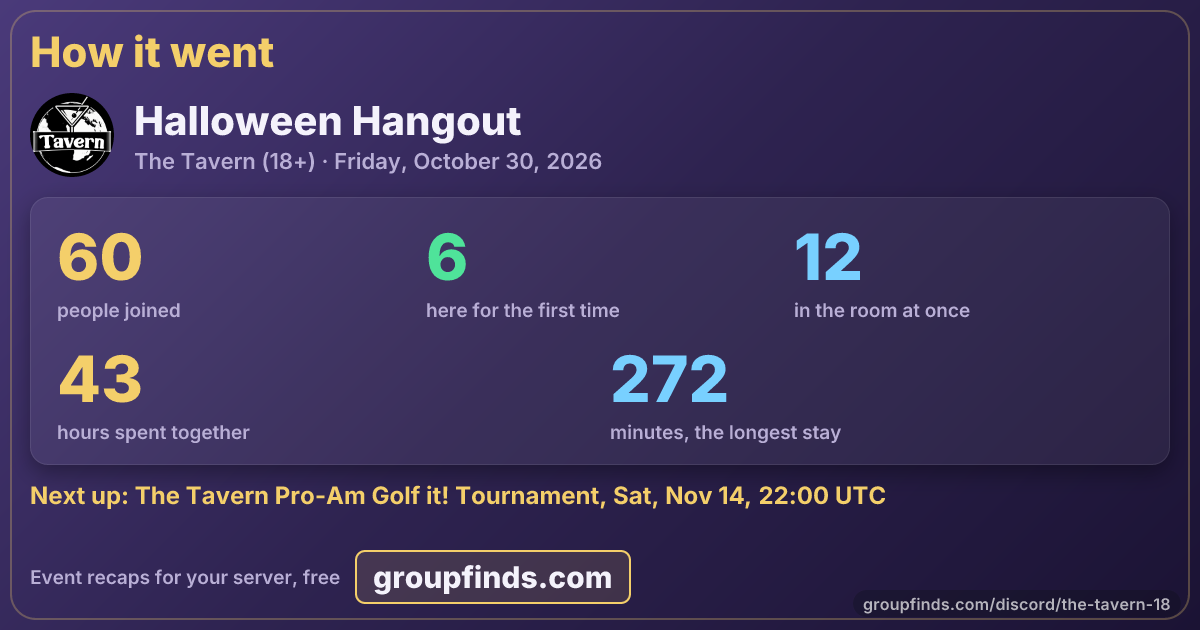
Every finished event gets a card like this one, and a page to share it from (this event’s recap page). It carries totals only, never a member’s name.
Your settings
Which of your events show on GroupFinds, and who hears how they went, are set by the server owner in the dashboard: your servers, then Bot Control, then the Events card.